Guides / November 03, 2026
What Records Prove a DFARS Self-Assessment Score Is Honest?
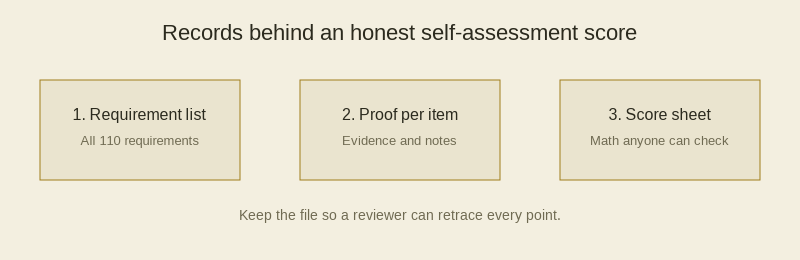
You posted a score, and now a prime or a reviewer asks how you got it. A bare number will not satisfy them. A file they can retrace will.
Defense Federal Acquisition Regulation Supplement (DFARS) clause 252.204-7019 requires a self-assessment. The assessment measures your use of NIST Special Publication 800-171. Clause 252.204-7020 requires posting the score in the Supplier Performance Risk System (SPRS). The score starts at 110 points. Each unmet requirement subtracts points under the scoring method.
The core file: one row per requirement
Build a worksheet with one row for each of the 110 requirements. Give each row four fields: requirement, result, evidence, and notes. The result is implemented, partially implemented, or not implemented. The evidence field names the exact record that supports the result.
For each implemented requirement, name real proof. A policy alone is weak proof. Pair the policy with a record that shows the work happened. A log export, a ticket, or a config record all count as proof. For a partial result, state what part is missing. State the plan to close the gap, with a date.
Score the sheet with the published method. Each requirement carries a set point value. Subtract the value for each requirement that is not fully met. Show the math on the sheet itself. A reviewer should reach your total from your rows alone.
The supporting records
Keep your System Security Plan (SSP) beside the worksheet. The SSP describes how each requirement is met in your system. The worksheet should point to the SSP section for each row. If the SSP and the worksheet disagree, fix the mismatch before posting.
Keep dated evidence for each row. Save scan reports with their dates and scope. Save training records with names and dates. Save access reviews with the reviewer name. Save incident records with the timeline. Keep the evidence set for at least the period your contracts require.
Keep the assessment notes too. Record who assessed each requirement and when. Record any interview notes that support a result. Record why a requirement was marked not applicable, if any. A not applicable call needs a written reason tied to your system.
The posting record
After you post in SPRS, save proof of the posting. Save the date posted and the score posted. Save the name of the person who posted it. If the score changes later, save the old score and the new score. Save the reason for the change and the date it changed.
Review the file before each renewal or contract bid. Update rows when controls change. Re-score when a gap closes or a new gap opens. A stale file behind a fresh score is the most common weakness reviewers find.
What to do this week
Pick ten requirements at random from your sheet. Find the evidence for each one in under five minutes. If any item takes longer, fix its evidence link now. That test mirrors what a reviewer will do.
Sources
- DFARS 252.204-7019, Notice of NIST SP 800-171 DoD Assessment Requirements, acquisition.gov.
- DFARS 252.204-7020, NIST SP 800-171 DoD Assessment Requirements, acquisition.gov.
- NIST SP 800-171 Revision 2, National Institute of Standards and Technology.
- Original diagram by PolicyCortex.
Next step
Want assessment evidence linked to each requirement? See how PolicyCortex collects it from live systems.