Guides / November 01, 2026
How Do I Write Up a Requirement That Does Not Apply to My System?
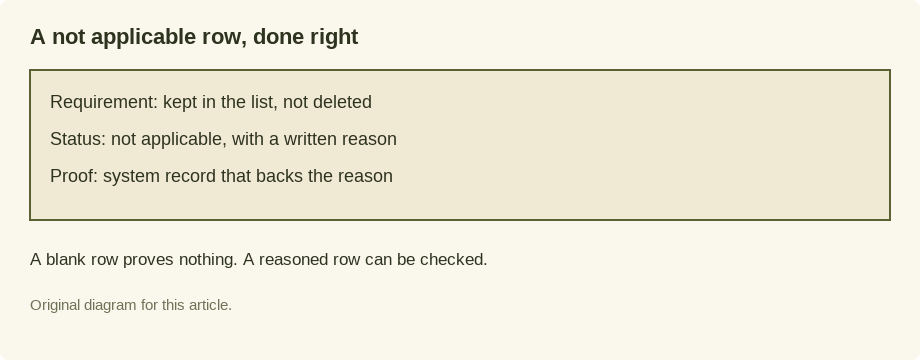
Some requirements will not fit your system, and that is normal. A requirement for a technology you do not run cannot be implemented. It still needs a written answer, not a blank row.
DFARS means Defense Federal Acquisition Regulation Supplement. DFARS clause 252.204-7012 requires contractors to protect covered defense information using NIST SP 800-171. NIST means National Institute of Standards and Technology. CUI means Controlled Unclassified Information. SSP means System Security Plan. SPRS means Supplier Performance Risk System. Your SPRS score is the score you report from your self-assessment.
Keep the requirement in the list
Do not delete a requirement from your assessment list. A deleted row looks like a skipped requirement. An assessor or a reviewer will treat it as a gap. Keep all 110 requirements in NIST SP 800-171 Revision 2 in your list. Mark the ones that do not apply, and write the reason beside each one.
The Department of Defense (DoD) assessment methodology supports this approach. In a DoD assessment, a requirement the DoD Chief Information Officer approves as not applicable counts as implemented. That rule comes from the NIST SP 800-171 DoD Assessment Methodology, Version 1.2.1. For your own self-assessment, follow the same logic with care. Mark it, reason it, and keep the proof. Do not claim approval you do not have.
Write a reason an outsider can check
A good reason has three parts. First, state the fact about your system. Second, state why that fact makes the requirement inapplicable. Third, name the record that proves the fact. Keep each part to one sentence.
Here is the pattern. "Our system has no wireless network." "The wireless requirement therefore has no system part to protect." "The network inventory dated this quarter lists only wired connections." A reviewer can now check the claim against the inventory. A reason like "not relevant to us" cannot be checked, so it proves nothing.
Avoid reasons that depend on intent alone. "We never plan to use this technology" is weak. A system fact today is strong. If the fact changes later, the requirement becomes applicable again. That is fine, as long as you update the record when it happens.
What to file with the write-up
File the write-up in your SSP, next to the requirement it covers. The SSP is the plan that describes how each requirement is met. A requirement with no SSP entry looks unaddressed, even if your score sheet marks it. Put the reason, the system fact, and the proof record in that entry.
Keep the proof record itself, not just a mention of it. If the reason cites a network inventory, file that inventory. If the reason cites a system diagram, file that diagram. Date each record. An undated record cannot prove the system state at assessment time.
How this affects your score
Do not silently drop a requirement from your score math. Keep it in the list as not applicable, with its reason attached. Do not deduct points for a requirement that truly does not apply. Do not claim a requirement as implemented when the honest mark is not applicable. The score must match the list, and the list must match the SSP. A reviewer who finds three different stories will trust none of them.
If you are unsure whether a requirement applies, treat it as applicable until you can prove otherwise. Write the doubt down. Ask a knowledgeable reviewer to confirm the call before you submit. A cautious mark that you later correct beats a bold mark that a reviewer overturns.
Recheck when the system changes
Review your not applicable marks at least once a year. Review them sooner when you add a new technology, a new site, or a new service. A wireless network added in March makes a wireless requirement applicable in March. Update the SSP, update the score sheet, and start the control then. Do not wait for the next assessment to notice the change.
Next step
PolicyCortex collects evidence from live Azure configuration using 33 collectors. The collectors read conditional access, diagnostic settings, Defender posture, backup, and firewall. The evidence is evaluated against NIST 800-53 and NIST 800-171. It supports re-verification after remediation. It generates SSP, SAR, and POA&M output from collected evidence. SAR means Security Assessment Report. POA&M means Plan of Action and Milestones. PolicyCortex is strongest in commercial Azure, and AWS is covered. Start at https://policycortex.com.
Sources
- DFARS 252.204-7012, Safeguarding Covered Defense Information and Cyber Incident Reporting, Defense Federal Acquisition Regulation Supplement. https://www.acq.osd.mil/dpap/dars/dfars/html/r20150326/252204.htm
- NIST SP 800-171 Revision 2, Protecting Controlled Unclassified Information in Nonfederal Systems and Organizations, National Institute of Standards and Technology. https://doi.org/10.6028/NIST.SP.800-171r2
- NIST SP 800-171 DoD Assessment Methodology, Version 1.2.1, June 24, 2020, U.S. Department of Defense. https://www.compliancepoint.com/wp-content/uploads/2025/11/NIST-SP-800-171-Assessment-Methodology-Version-1.2.1-6.24.2020.pdf